
Each run starts with one Revive. Losing a battle spends it automatically and returns you to the last campfire in that act at half HP, with half your Coins lost. Visit a campfire before a risky stretch and check your remaining Revives.
Basis: Official help read October 9, 2026. Video published October 2, 2026; recorded build unknown. Video examples describe that run, not guaranteed current outcomes.
Each run starts with one Revive. Losing a battle spends it automatically and returns you to the last campfire in that act at half HP, with half your Coins lost. Visit a campfire before a risky stretch and check your remaining Revives.
On this page
What can you do at a campfire?
The current help offers a 50% team heal or a conversation with whoever is there. Some campfires have a dealer selling relics for Coins. Read the available choice before committing; talking and healing are different options.
Rest stops also provide party and Box management. A campfire visit is important beyond immediate healing because the loss rule uses the last visited campfire in the current act as its checkpoint.
The supplied Rest Stop popup says only one activity can be chosen. Rest is described as healing the whole team by 50% and clearing status conditions; Party & Box offers swapping or releasing a member, and Talk to the pedlar opens a merchant interaction. The still records these choices, not their completed results.
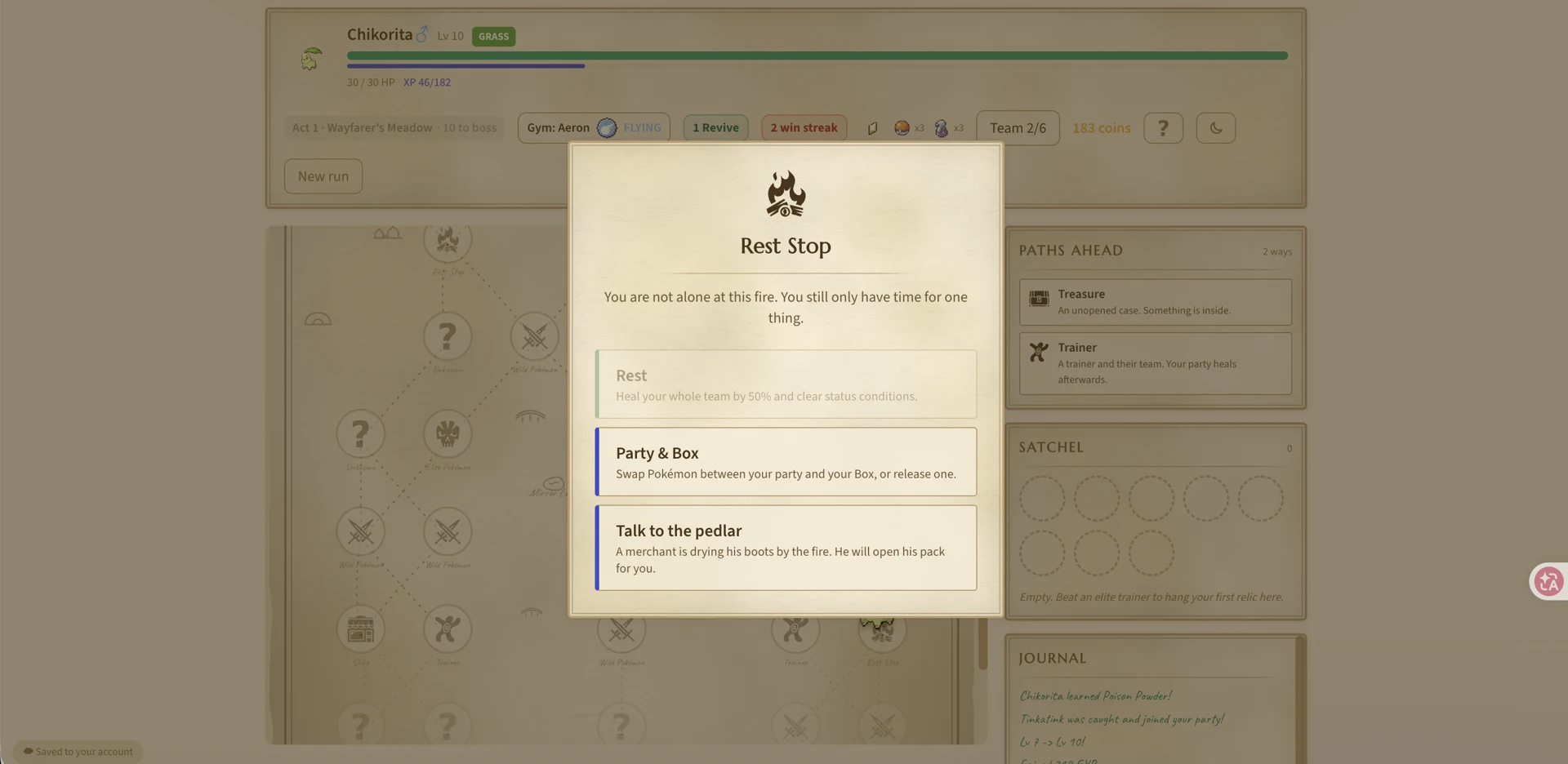
Player-provided capture, October 9, 2026. This still shows the visible interface; the game build and later outcome are not established.
Player-provided gameplay · View full screenshot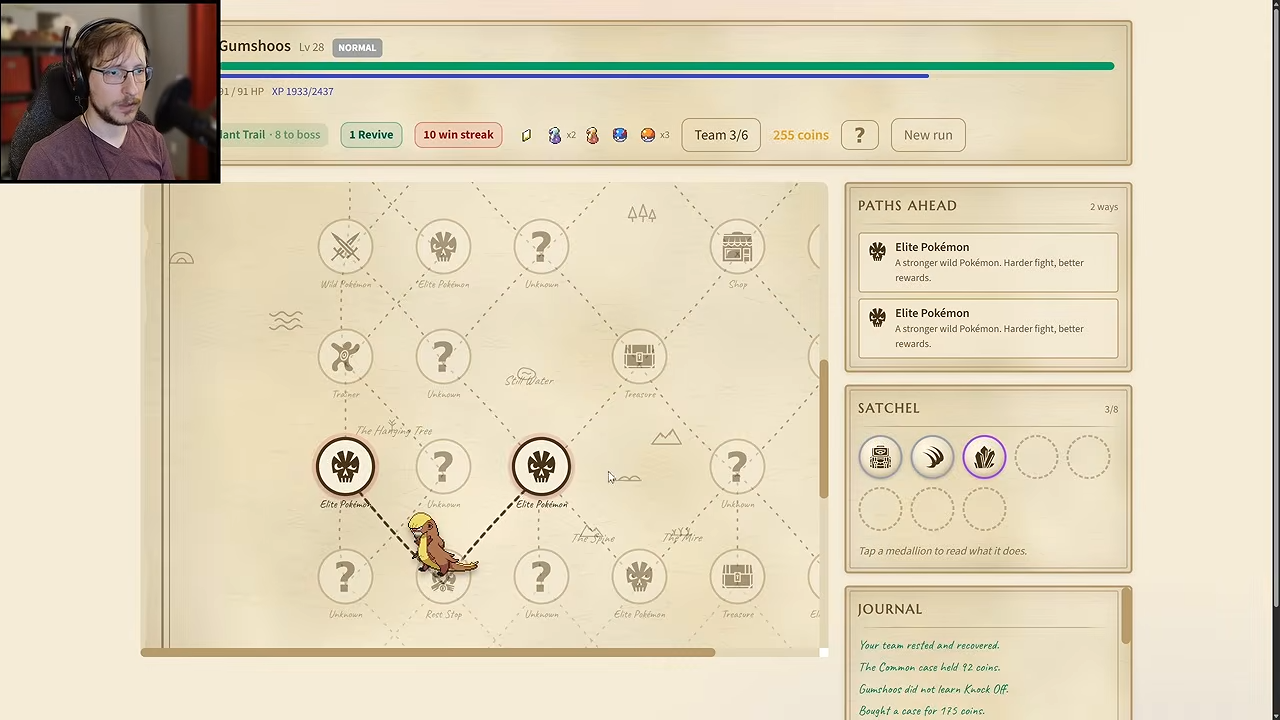
19:55 · TheDuoDesign · recorded build unknown. One run; current instructions are checked separately.
TheDuoDesign · View sourceWhere do you return after a battle loss?
With a Revive left, a loss consumes one and sends you to the act’s latest visited campfire. You return at half HP, lose half your Coins and replay the stretch. A campfire from an earlier act is not the checkpoint described by this rule.
If you have visited no campfire in that act, the return is to the act start. If no Revive remains, losing ends the run. Buying spares is documented advice; the current help excerpt does not give their shop price.
| Situation after a loss | Documented result |
|---|---|
| Revive available; campfire visited this act | Last campfire, half HP, half Coins lost |
| Revive available; no campfire this act | Act start, half HP, half Coins lost |
| No Revive available | Run ends |
What does the video show about a fainted team member?
At 25:47 the Team panel shows a fainted Gumshoos and one Revive. At 25:52 Gumshoos is active again and the run shows no Revive remaining. This demonstrates manual use in the recorded build.
The current help emphasizes automatic protection after a lost battle. Do not assume a rest revives a fainted member or that an older manual-use action leaves run protection intact; inspect today’s item prompt before using your last Revive.
One recorded run, published October 2, 2026; build unknown. Current rules are explained separately.
TheDuoDesign · Source / open if playback fails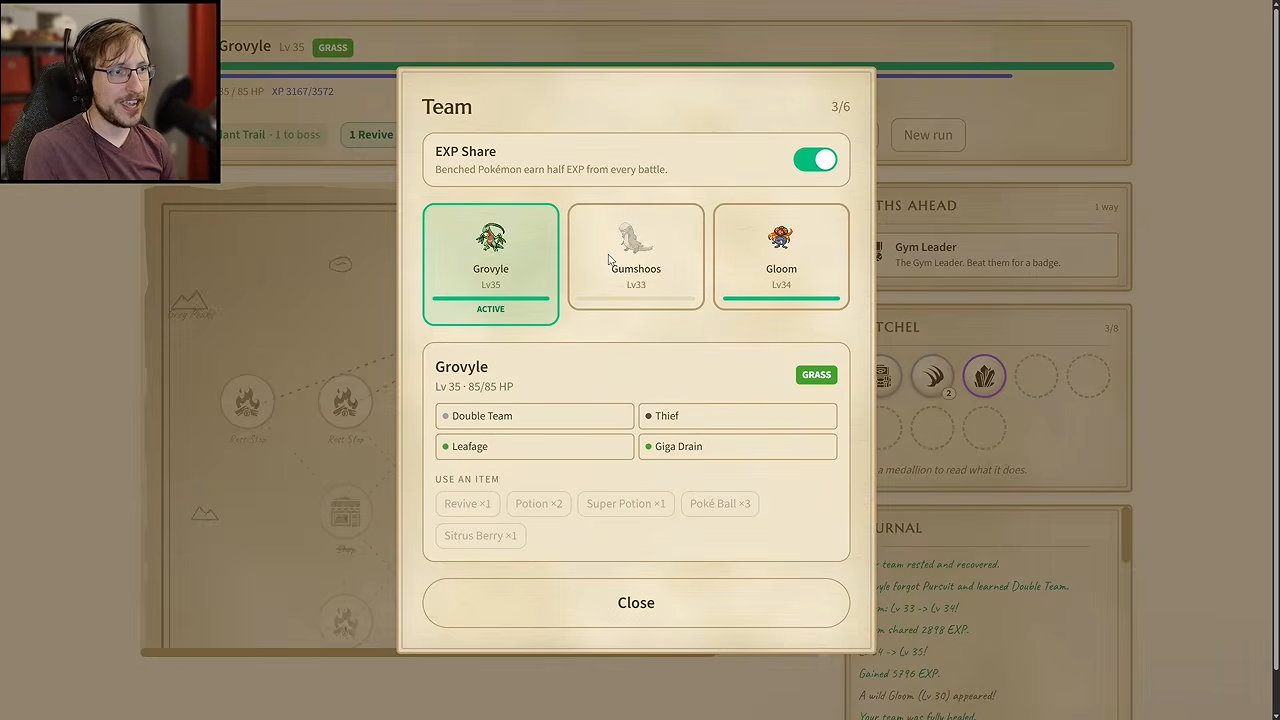
25:47 · TheDuoDesign · recorded build unknown. One run; current instructions are checked separately.
TheDuoDesign · View source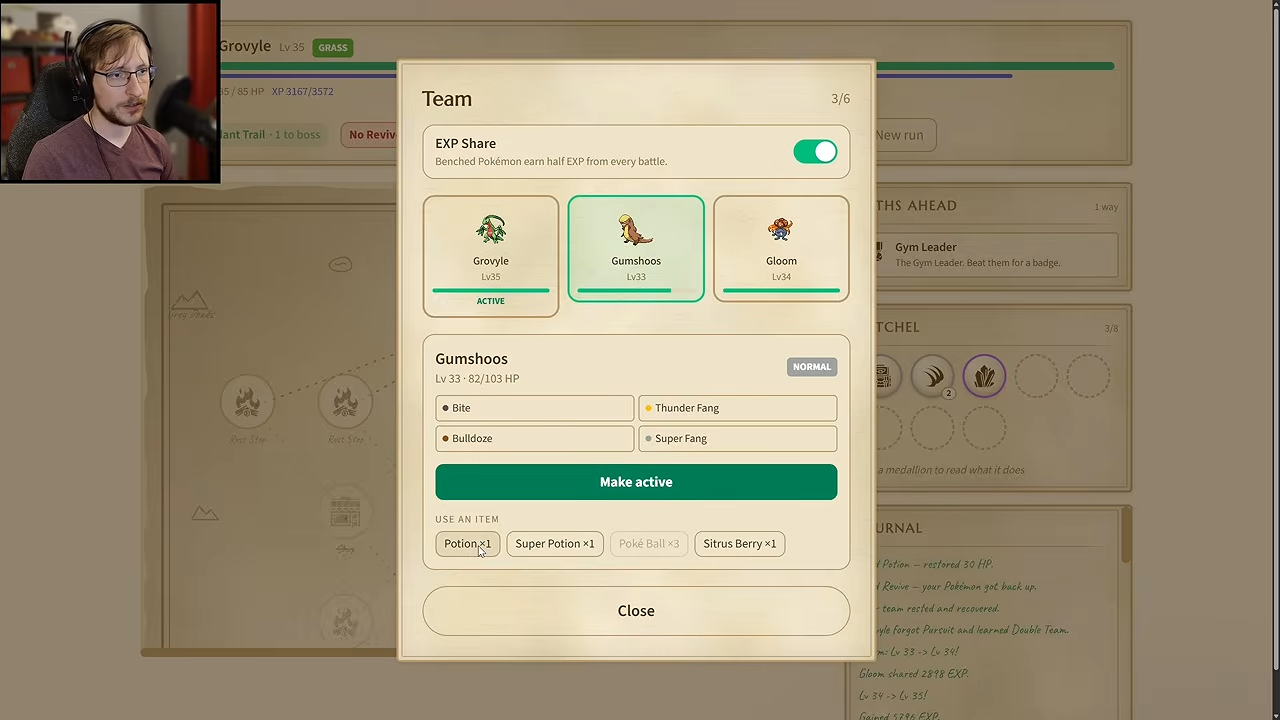
25:52 · TheDuoDesign · recorded build unknown. One run; current instructions are checked separately.
TheDuoDesign · View sourceWhat should you check before the next hard fight?
Check team health, Coins, remaining Revives and the next connected campfire. If an optional purchase would leave no recovery budget, compare it with the risk of the route ahead. The screenshot’s final HP is an observation, not a measured manual-healing formula.